Time · Materials · Invoices

Track the work.
Send the invoice.

Honest Days is a time and materials tracker for people who bill for their work. Start a timer when you start. Log the materials when you buy them. Both land against the client and the project they belong to — so on Friday night there is nothing left to reconstruct.

Job
Patio Build-Out
Task
Framing
Hours
12.25
Billable
$2,053.27

Android 7.0 and up · Subscription required

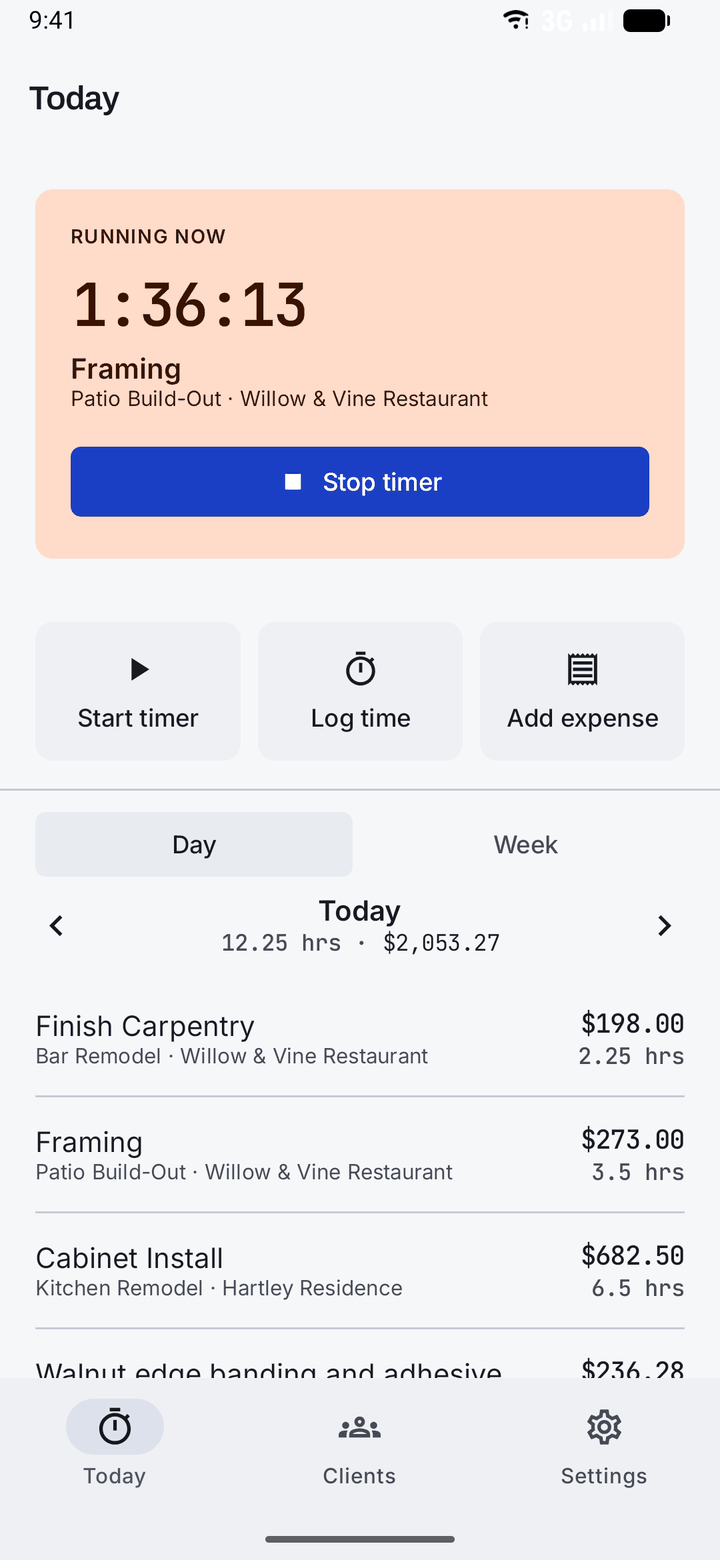
The Honest Days Today screen: a running timer at 1:36:13 on Framing for the Patio Build-Out job, with the day's log totalling 12.25 hours and $2,053.27 beneath it.

01 The day

One timer, running on the job it belongs to

Press start when you pick up the tools. Press stop when you put them down. If you forgot to press start at all, log the hours after the fact — the app would rather have the truth late than a guess on time.

  • One running timer, moved between jobs as you move between them
  • Log time after the fact, with the note that explains it
  • Day and week views, each with the hours and what they are worth
  • Unbillable time is still tracked — it just never lands on an invoice
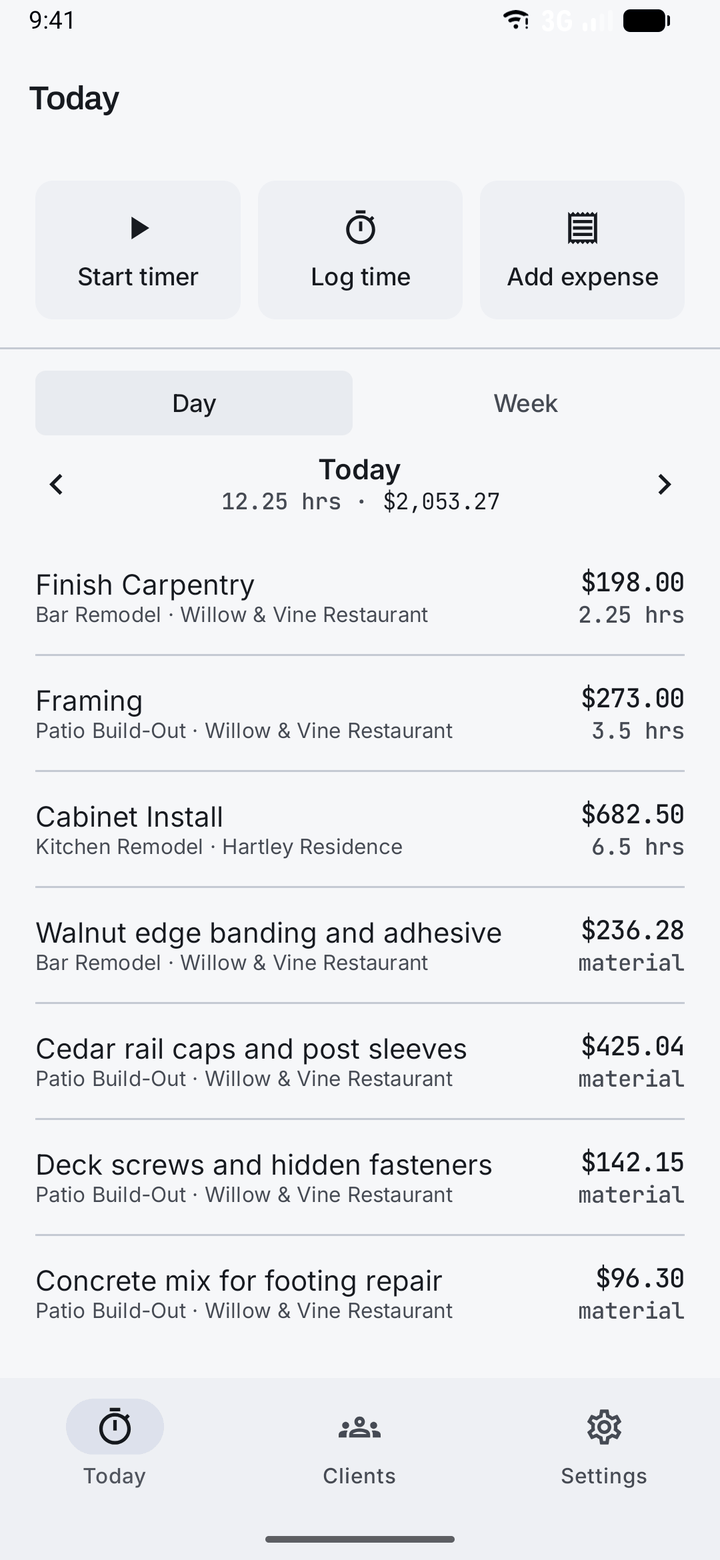
The day's log in Honest Days: Finish Carpentry at 2.25 hours for $198.00, Framing at 3.5 hours for $273.00, and Cabinet Install at 6.5 hours for $682.50.

02 The receipts

Materials, with the markup already worked out

Record what the job cost you and what the client is charged as two separate numbers. The gap between them is your margin, and it survives into the invoice instead of being lost the moment you round a receipt up.

  • Cost and billed price kept apart, with the markup worked out as you type
  • A non-billable expense still counts against what the job cost
  • Flag what's taxable and what isn't, line by line
  • Every expense lands on a client and a project, not in a shoebox
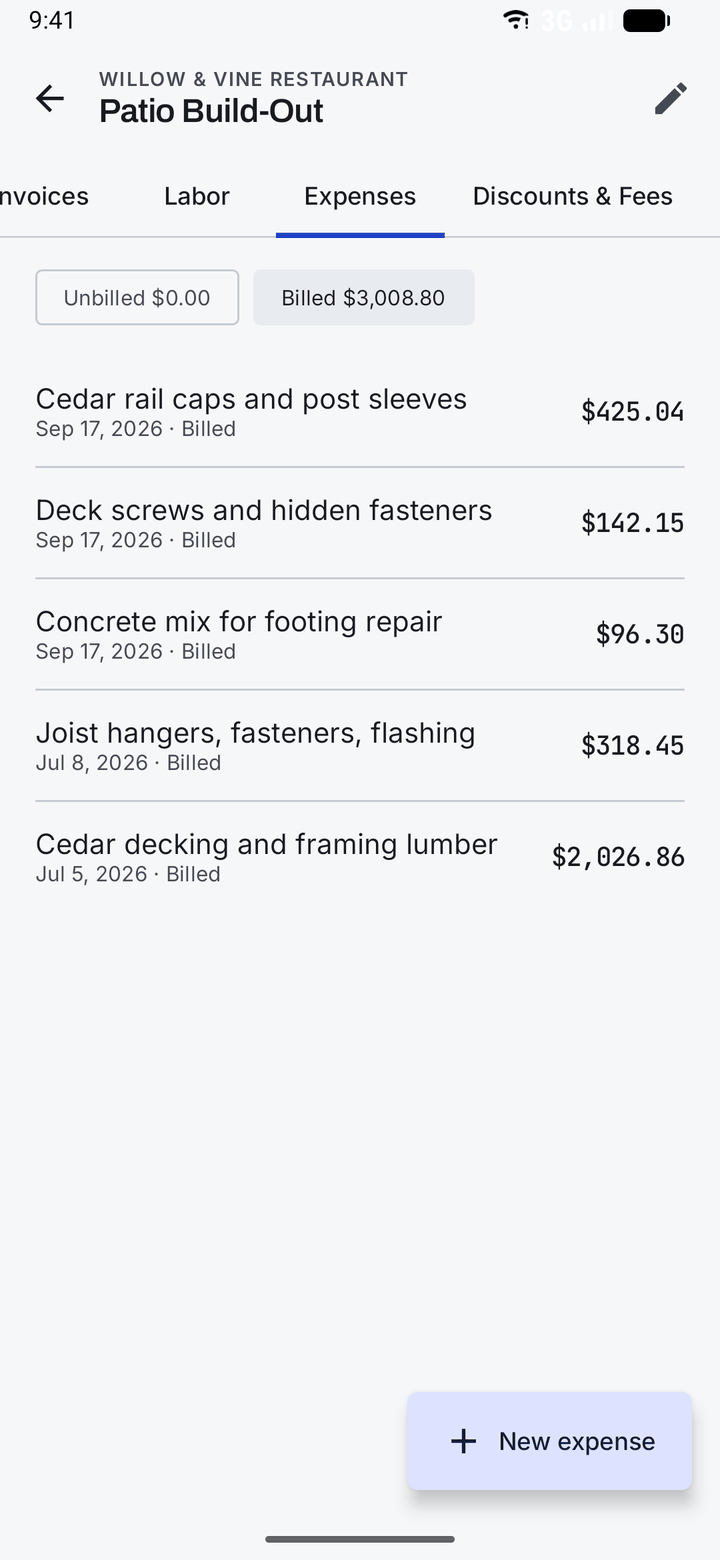
Expenses on the Patio Build-Out job: cedar rail caps, deck screws, concrete mix, joist hangers and cedar decking, each dated and marked billed, totalling $3,008.80.

03 The rates

Your rate card, applied without being asked

Set out the work you actually do — framing, finish carpentry, a design consultation, the punch list — and what each is worth an hour. From then on every timer you start already knows what it is earning.

  • A rate per task type, priced the way you price it
  • Override a rate for one client, or for one project
  • Shop and travel can sit on the card at nothing, and still be tracked
  • Currency, tax rate, payment terms and invoice numbering: set once
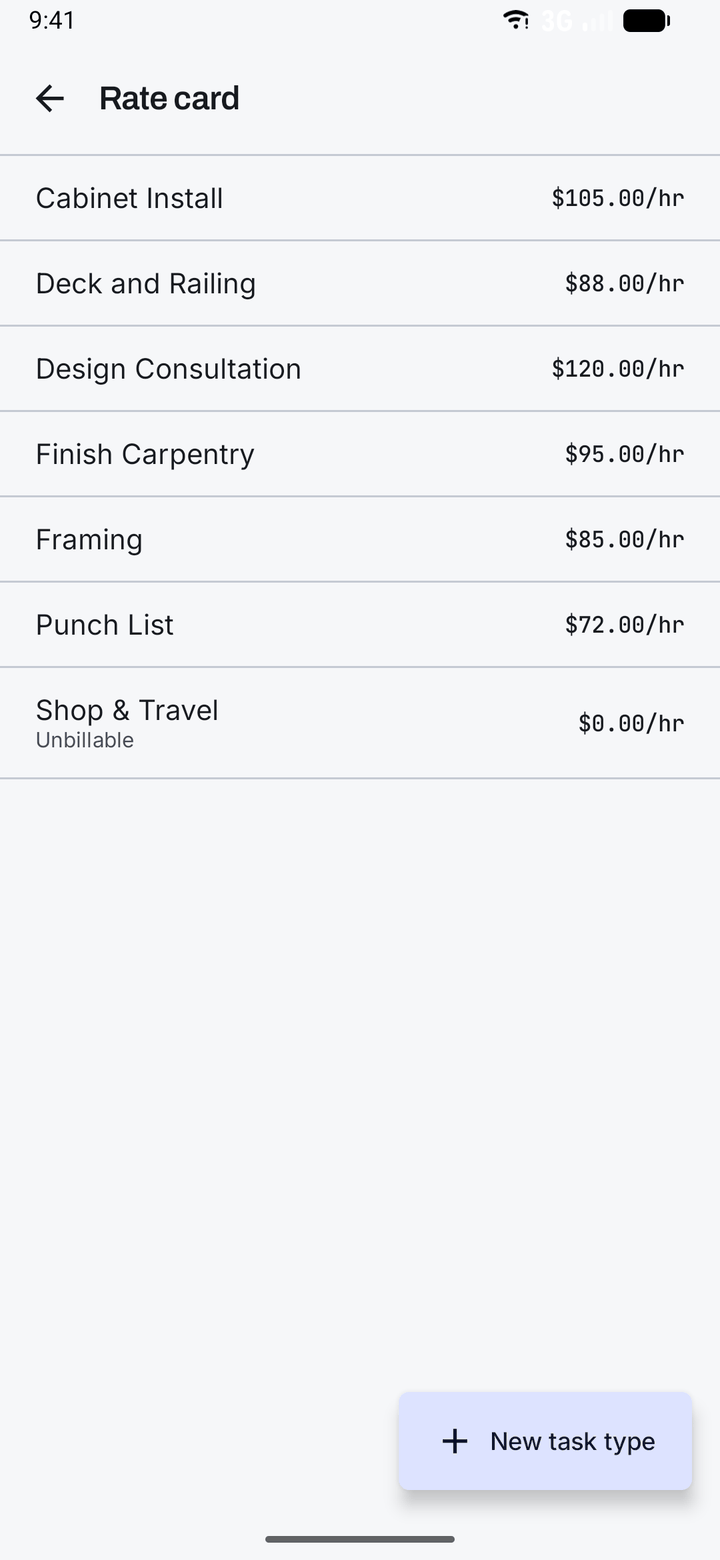
The Honest Days rate card: Cabinet Install $105.00/hr, Deck and Railing $88.00/hr, Design Consultation $120.00/hr, Finish Carpentry $95.00/hr, Framing $85.00/hr, Punch List $72.00/hr, and Shop & Travel marked unbillable.

04 The bill

By the time you invoice, it is already written

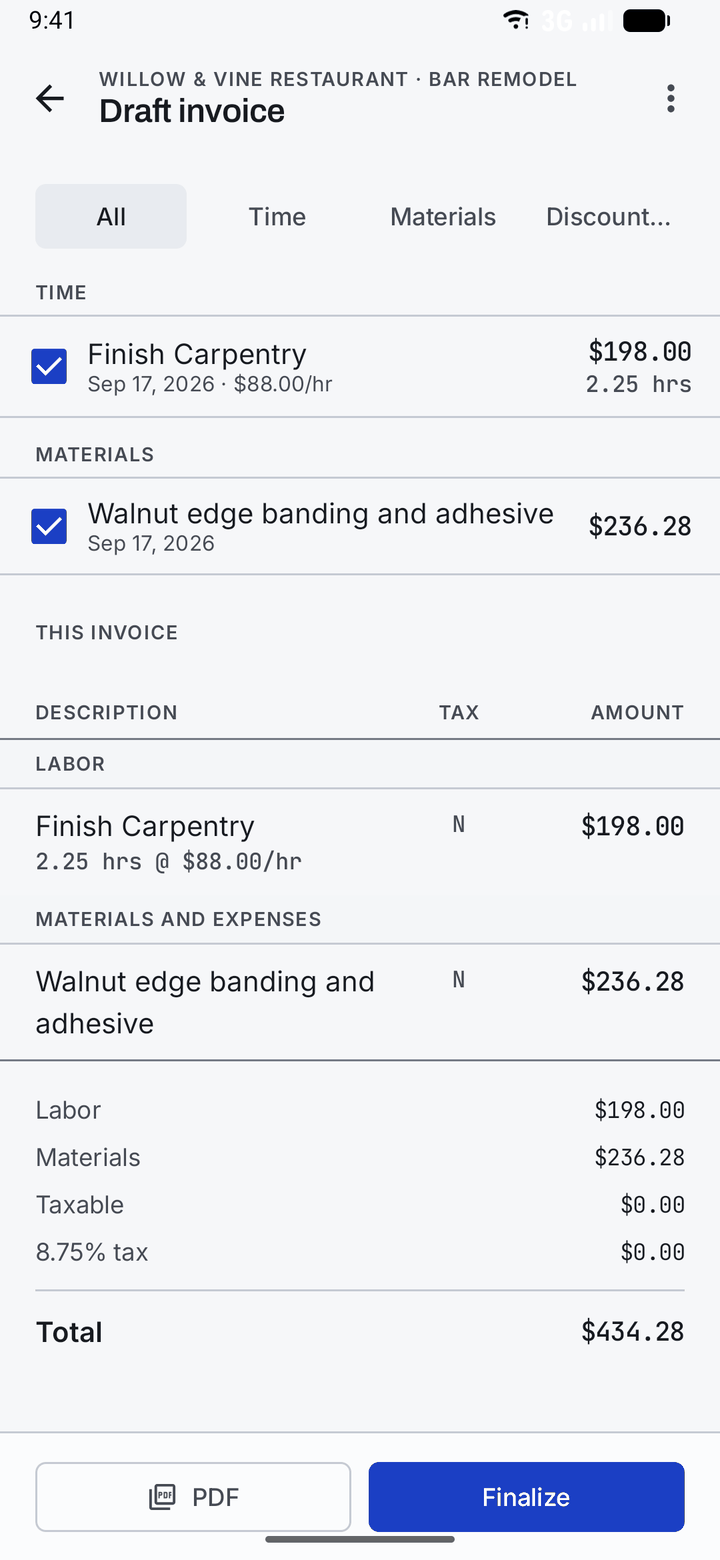
Draw from a billing period or from everything still unbilled, then tick what goes on the invoice and watch the totals move as you choose. Finalize locks it in and gives it its number. Nothing moves after that — and work that has been invoiced cannot be invoiced twice.

  • Labor and materials, gathered from the work you already logged
  • Percentage or fixed discounts and fees, applied before tax
  • Tax handled per line, so a mixed invoice still adds up
  • Finalize to lock the numbers, or void it if it was wrong
A draft invoice in Honest Days with time and materials ticked for billing, showing labor of $198.00, materials of $236.28 and a total of $434.28, with PDF and Finalize buttons.

05 The hand-off

Send a PDF, or a link they can just open

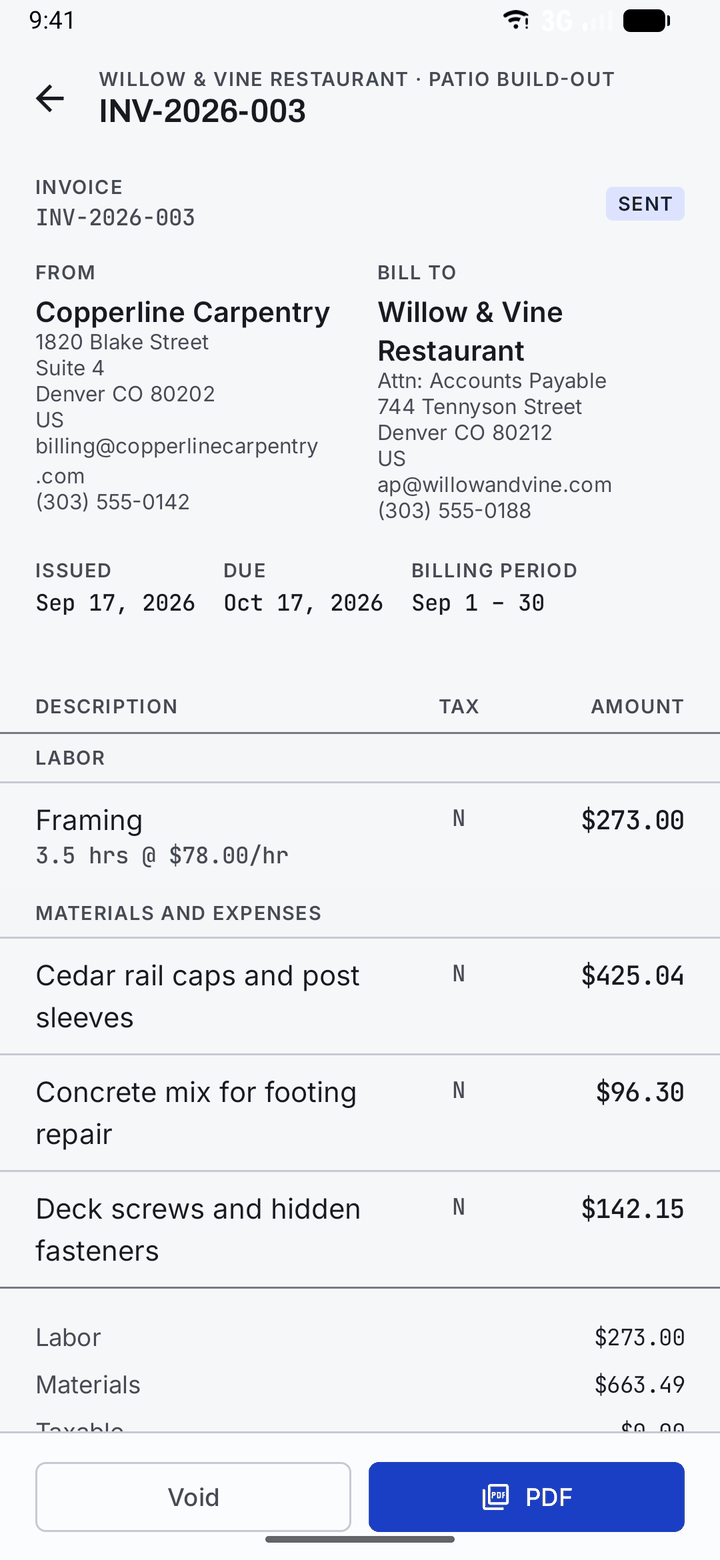
Every finalized invoice becomes a proper document: your details, theirs, the period it covers, every line, and what it comes to. Send it as a PDF, or share a private link your client can open in any browser without an account or an app.

  • A numbered invoice in your own numbering scheme
  • A PDF that prints the way it looks
  • A private share link — the same document, in a browser
  • Issue date, due date, terms and billing period, all on the face of it
Invoice INV-2026-003 marked Sent, from Copperline Carpentry to Willow & Vine Restaurant, issued 17 September 2026 and due 17 October, listing labor and materials lines.

ALL What else is in there

Everything a job needs to be billed properly.

Billed and unbilled, per job

Open a project and see what has been invoiced and what is still owed to you, with hours and materials kept apart so you can see where the money came from.

Clients and projects

As many clients as you work for, as many jobs as each one has running. Contact details, billing address and attention line live with the client.

Tax, discounts and fees

A tax rate that applies per line, plus percentage or fixed discounts and fees worked out before tax — so a trade discount lands where it should.

Your numbering and terms

Invoice numbering in your own format, your payment terms, and a due date the app works out from them rather than asking you again every month.

Your currency

Pick your currency once and every figure — rates, expenses, totals, the PDF — is written in it, with the right number of decimal places for it.

Saved to your account

Your work is stored against your account, so a new phone is a sign-in rather than a loss. You can delete all of it, permanently, whenever you want.

Built by one person, on purpose

“An hour you forgot to write down is an hour you worked for free. That is the whole problem this app exists to solve.”

Karson Odette
BioRust Studios

Found a bug, or want it to do something it doesn't? Write to bioruststudios+honestdays@gmail.com. Every message is read by the person who wrote the app.

FAQ Before you download

Questions worth answering first

Is Honest Days free?
No. Creating an account is free, but using the app requires a subscription. There is no free tier and no advertising. Google Play shows you the current price in your own currency, including any local tax, before you buy anything.
What platforms does it run on?
Honest Days is available for Android 7.0 and above on Google Play. An iPhone and iPad version is in development.
Who is it for?
Anyone who bills for time and materials: contractors, carpenters, electricians, plumbers, handymen, and independents who invoice by the hour and buy materials on behalf of a client. It suits one person or a small outfit, not a payroll department.
Can I track expenses as well as hours?
Yes — that is half the point. Record what you paid and what the client is charged separately, mark an expense billable or not, and flag whether it is taxable. Both hours and materials land on the same invoice.
How do clients receive an invoice?
As a PDF you send however you like, or as a private link they can open in any browser — no account, no app, nothing to install. The link shows exactly the same document the PDF prints.
Can I charge different rates for different work?
Yes. Your rate card holds a rate for each type of work you do, and you can override any of them for a particular client or a particular project. Work you don't bill for — shop time, travel — can be tracked at nothing.
Does it handle tax and discounts?
Yes. Set a tax rate for your business, mark individual lines taxable or not, and add percentage or fixed discounts and fees that are worked out before tax.
Can I delete my account and my data?
Yes, from inside the app at any time, and it is a real deletion rather than a deactivation. See the account deletion page for what is removed and how to ask if you can no longer sign in.
Who makes Honest Days?
BioRust Studios, LLC — an independent app studio — and it is written by Karson Odette.

Stop reconstructing the week from memory

The hours are already yours. Start writing them down.